


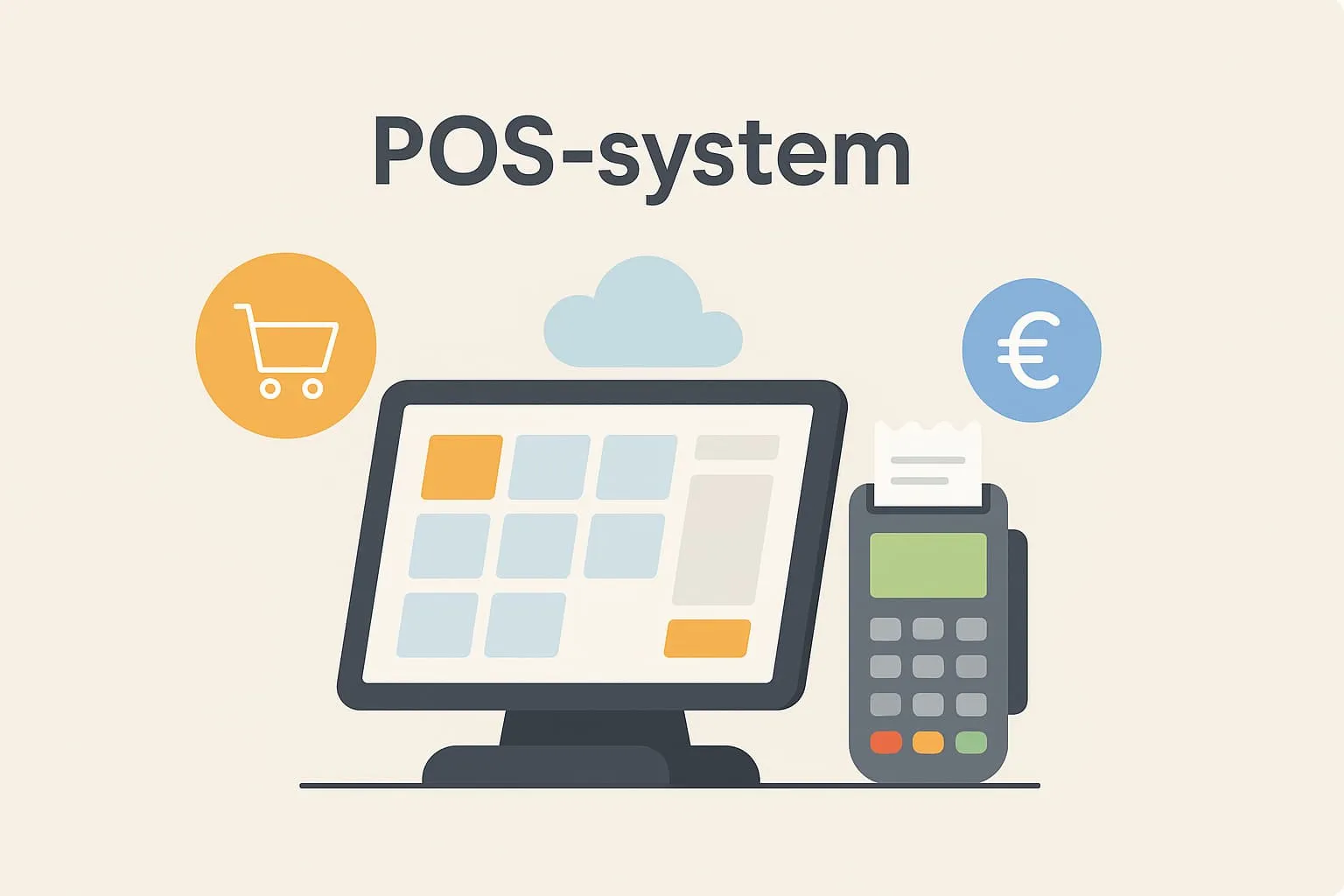
What is a POS system?
A POS system (Point of Sale system) is a digital cash register system for recording sales and handling payments in a business – typically in restaurants, cafés or bars. In the hospitality industry, a POS system is the modern alternative to the old cash register. It is central to daily operations, where staff use the system to enter orders, send them to the kitchen, take payment from guests and automatically log the day’s sales.
A POS system combines many functions in one: it connects the till with the kitchen and administration, so revenue, orders, stock and even employee data are updated in real time. In other words, a POS system gives the owner a minute-by-minute overview of operations. Synonyms such as cash register system, point of sale or sales registration system are also used for POS systems, but what they have in common is that they are an electronic solution that makes it easier to run the business more efficiently.
A modern POS system can do much more than count the money in the till. It replaces the traditional cash register and offers advanced features such as split payments, discount handling, bill splitting, gift cards, tip handling and printed or digital receipts.
The system also helps with daily reports and key figures, integration with inventory management and accounting systems, and management of employees’ working hours.
POS systems in practice in restaurants, cafés and bars
Let’s look at how a POS system is used in practice. Picture a busy café on a weekday morning. Customers order at the tables, and the waiter walks around with a tablet or mobile POS device. When a party places their order – for example two lattes, a sandwich and a croissant – the waiter enters the order directly in the POS system. The order is instantly sent electronically to the kitchen or the barista at the counter, where a ticket may be printed or the order shown on a kitchen screen. Meanwhile, the system registers which table the order belongs to and updates the stock (so, for example, one croissant is deducted from inventory).
When the guest is ready to pay, the waiter taps the table in the POS overview, brings up the current bill and can easily split it as the guests wish – perhaps they want to pay separately. Payment is handled in seconds through the system, whether the guest pays by card, cash, Apple Pay or Google Pay. With cash payment, the cash drawer opens automatically, and the transaction is logged in the system. The whole process takes a few seconds, and the customer can move on quickly – while the café gets accurate sales data.
Another example: Think of a weekend at a popular bar or restaurant. The bartenders have a queue all evening, and countless orders go through. Here, the POS system helps keep track of everything in a hectic situation. Open tabs can be created for regulars or tables, so a group can buy several rounds of drinks during the evening and pay at the end. The bartender registers each drink in the system with a few taps on a touchscreen – perhaps with shortcuts for the most popular cocktails to save time.
Inventory management runs in the background and automatically deducts x cl of spirits for each drink, so you always have an up-to-date picture of stock. If an item reaches a critically low level, the manager can get an alert and reorder in time. At the end of the night, a cash report is printed from the POS system. It shows the day’s total revenue, the number of units sold of each item, average sales per hour and so on – valuable information management can use to analyse the evening. Staff may also have clocked in and out on the POS system at the start and end of their shift, so their working hours are recorded. All this makes it easy to cash up and close with full control over both money and data.
Why is a POS system important?
In restaurant and café operations, the POS system is crucial to running an efficient and profitable business. Without a good cash register system, even the best restaurant can experience chaos: orders can go missing or be served wrong, customers may wait too long for the bill, and the owner lacks insight into what is actually happening in the business. Here are some reasons why a POS system is so important:
- Efficiency and fast service: A POS system ensures faster service and fewer errors. Staff can focus on guests instead of writing orders on paper or entering prices manually on a simple cash register. Orders go straight to the kitchen without misunderstandings, and payment is quick, which means happy customers and the ability to serve more guests, especially at busy times.
- Overview and data-driven decisions: Because all transactions are recorded digitally, you get a real-time overview of sales. You can pull reports daily or weekly and see key figures such as revenue per hour, best-selling dishes and average spend per customer. This data is gold – it can be used to optimise the menu, adjust prices or plan campaigns. If you compare sales data from the POS system with payroll data from staff scheduling, you can, for example, calculate your labour cost percentage (how large a share of revenue goes to wages) and see whether staffing matches earnings. Without a POS system, such analyses are much harder and often based on guesswork.
- Better staffing and lower costs: When you know your busiest times and quietest periods from POS data, you can make better rotas. You don’t risk having too many people at work on a quiet Tuesday morning (which raises labour costs unnecessarily) or too few during Sunday brunch (which hurts service and revenue). Staff scheduling supported by POS data helps keep the labour cost percentage down, because you can match staffing precisely to demand.
- Control, security and less shrinkage: A digital cash register system increases security around the till. Every transaction is logged, and each employee can have a unique login. That means traceability – if money is missing from the till or a cash count doesn’t add up, you can see in the system exactly which transactions were made and by whom. This prevents shrinkage and errors. Discounts and refunds can also be handled with manager approval, adding another layer of control.
- Compliance and legal requirements: Many countries regulate how cash sales must be recorded, and the rules differ from country to country. In Denmark, for example, certain industries – including restaurants, cafés and pizzerias – have had to use a digital sales registration system since 1 January 2024. In Germany, electronic cash registers must be protected by a certified technical security device (TSE), and a receipt must be issued for each sale. In Sweden, businesses that take cash or card payments must record their sales in a cash register connected to a certified control unit or control system. Check the current rules with your national tax authority.
The purpose is to ensure correct cash reports and prevent VAT fraud. With a modern POS system, you are ahead of these requirements – the system automatically stores all necessary data (electronic receipts, transaction numbers, timestamps, etc.), which makes it easier to comply with bookkeeping and VAT rules. In short, the POS system provides documentation for every sale, making it easy to comply with the authorities’ rules and produce correct payroll reporting and accounts. - Better guest experience: Although this point is more about the customer experience, it is worth mentioning that a well-functioning POS system also indirectly increases guest satisfaction. Faster service, fewer order errors, a choice of payment methods and, for example, being able to split the bill without drama give guests a smoother experience. Satisfied guests come back and recommend your restaurant to others – and the seamless handling in the POS system plays a bigger role here than you might think.
How does Flexybox support POS systems?
At Flexybox, we build our solutions specifically for the hospitality industry, and Flexybox’ POS system is no exception. But how does our system support all the aspects of a good POS mentioned above? Here is an insight into some of the ways Flexybox helps restaurants, cafés and bars with a modern POS solution:
- Fast, reliable transactions: Our POS software is designed for busy environments where every second counts. The system responds instantly to input, so staff can complete orders and payments without delay – even when there is a queue. Stability is essential: the Flexybox POS system runs stably throughout service, and there is offline functionality, so you can keep selling even during a temporary internet outage.
- User-friendly for staff: We know that many people in the industry are not technology experts, and they don’t need to be. Flexybox POS has an intuitive interface with clear buttons and menus. Waiters can learn the system quickly – new employees can often take their first order after a short introduction. The system can also be adapted to each venue, for example with buttons for your best-selling dishes or favourites, so it fits your menu and workflows.
- Table management and the full customer journey: Flexybox’ POS system supports table reservations and management. If you use our accompanying booking system for table reservations, the information flows directly into the POS. When a guest with a reservation arrives, the host can mark the table as occupied in the POS. Staff can see which tables are occupied, reserved or free, and how far into the meal the different tables are (starter, main course, dessert). This integration ties the whole customer journey together – from the guest booking a table online via online table booking to paying the bill through the POS system. Kitchen integration is also part of the package: orders from the waiters’ tablets are sent directly to kitchen printers or kitchen screens, so the kitchen can work efficiently without deciphering handwritten notes.
- Integrations in every direction: Flexybox POS can be integrated with most other systems you use in your operations. This applies to everything from accounting systems (so the day’s sales figures can automatically be posted to the accounts) to payroll systems (where staff time records from the POS are sent directly to payroll), as well as inventory management systems and e-commerce platforms. For example, our solution can export data to common accounting software, so you save time on manual data entry. We also know that payment integration is critical: Flexybox POS connects seamlessly to the most widely used payment terminals and mobile payment solutions, so the amount is transferred automatically to the terminal when staff press “Pay” at the till – which eliminates keying errors and saves time. In short, Flexybox works as the hub between your different systems (POS integration ensures everything works together).
- Clocking in/out and staff overview: A unique advantage of Flexybox’ platform is that the POS system talks to our time tracking system. Employees can clock in and out directly on the POS screen, and the system records their start times and breaks. The manager can follow in real time which employees are on shift and how many hours they have worked. This is not just smart for payroll – it also gives an overview that helps at busy times (for example, you can see that extra help has arrived for a busy evening) and at shift changes.
All hours can later be exported to the payroll system, and the system can handle rules for overtime pay, supplements for unsocial hours and so on. The integration between the till and staff functions means fewer payroll errors and ensures documentation of employees’ working hours (important both for management and in case of inspections by the authorities). With Flexybox, you get both POS and staff administration in one solution. - Customisation and scalability: Our POS system is tailored to the industry, but also flexible for your unique business. Do you have a small café, a large restaurant or perhaps a chain with several locations? Flexybox can be adapted to your scale: you choose the modules and features you need. Many of our customers start with the core functions – sales, payment, table management – and then expand with, for example, a loyalty programme (customer club) or gift card handling when they are ready. If you run several venues, you get a central overview of all your locations in one system, making it easy to compare performance and share data across the businesses. The system is designed to grow with your business.
In short, the Flexybox POS system supports the whole operation from A to Z – from the first customer contact to the final bookkeeping. The goal is to free up your time as a restaurant owner from administration and worries about technology, so you can spend your energy on what matters most: giving your guests a great experience and developing your business.
Benefits and effects of a good POS system
A well-implemented POS system like Flexybox’ creates a range of tangible business benefits. Here are some of the most important:
Correct pay for employees: When employees clock in/out via the POS system, their working hours are recorded accurately. This ensures everyone is paid correctly for their hours and that there are no payroll errors – which both builds trust among staff and eases the administrative burden for management.
Less administrative work: Automating till functions and reporting saves time. For example, end of day can be done in a few clicks, as the POS system calculates the cash balance, card sales, etc. and produces a report. Integration with accounting and payroll systems means you avoid manually entering figures from the day’s sales or employee hours. All in all, many hours are freed up that you can spend on guests or developing the business instead.
Better staff scheduling: With accurate data on when you are busy, you can make much better rotas. You avoid both understaffing at peak times and overstaffing on quiet days. Staff planning based on facts (not gut feeling) gives more optimal operations, where wages are spent sensibly and guests always find there are enough hands to help them.
Lower labour cost percentage: When staffing is matched to actual demand and efficiency increases through a good POS system, labour costs fall relative to revenue. Your labour cost percentage – a key figure in the industry – drops, which directly improves the bottom line. At the same time, a POS system can increase revenue (for example through faster service and the ability to handle more orders), which contributes further to a healthy labour cost percentage.
Compliance and documentation: With the right system in place, you have documentation for everything. Every receipt is stored electronically, every change to an order is logged, and every hour of work is recorded. This makes it easy to meet the authorities’ requirements for, for example, storing accounting data and recording working hours under working time legislation or collective agreements. Should the tax authority or others come by, you can confidently show a full trail of all transactions and time records.
Employee satisfaction and engagement: A well-functioning POS system removes many frustrations from employees’ day. No hassle with a till that doesn’t add up or a printer that never works; less stress because the system helps them remember orders and handle bills. They can also trust that their hours and tips are recorded correctly. All this contributes to happy employees with the energy to deliver good service – and happy employees make happy guests.
Related terms
- Time registration – Recording employees’ working hours, often via the POS system or a connected app, for correct pay and staff scheduling.
- Integration – Connecting the POS system with other systems (accounting, inventory, online ordering, etc.) so they work seamlessly together.
Frequently asked questions
POS stands for “Point of Sale”. It refers to the place where the sale itself takes place – typically the till in a shop or restaurant. A POS system is therefore the electronic system that handles sales at this point of sale.
A POS system in a restaurant or café is mainly used to record orders and take payment. But it can also print tickets or send orders electronically to the kitchen, keep track of table reservations, handle discounts and gift cards, manage stock (so you can see how much of a given ingredient is left) and give management access to reports and key figures on sales. In other words, it is a central management tool for the whole business, not just a till.
No. An old-fashioned cash register can typically only do very simple things like recording a sale and storing money. A POS system, on the other hand, is a fully digital system with many more features. It can be seen as a computer with special software for your restaurant: as well as handling payment, it can manage orders, stock, employee logins, reporting and so on. You could say a POS system includes the function of a cash register – and much more. That is why many also call it a cash register system or POS cash register system, to signal that it is the modern version of the cash register.
No, most modern POS systems – including Flexybox’ solution – are developed with a focus on user-friendliness. You don’t need an IT background to operate them. The supplier typically installs and sets up the system, and staff can be trained in a short time. The interface of a restaurant POS often resembles the tablet apps we know, with clear buttons and a logical structure. If questions arise, suppliers usually offer support and help, so you are never on your own. So even though the technology behind it is advanced, everyday use is made simple for everyone on the team.
It depends on the country and on the type of business. In Denmark, for example, certain industries – including restaurants, cafés and pizzerias – have had to use a digital sales registration system since 1 January 2024. In Germany, electronic cash registers must be protected by a certified technical security device (TSE), and a receipt must be issued for each sale. In Sweden, businesses that take cash or card payments must record their sales in a cash register connected to a certified control unit or control system. Check the current rules with your national tax authority. Regardless of legal requirements, most restaurants would struggle to do without a POS – it is the industry norm today, because it benefits operations and provides security and documentation for all sales.
Yes, many POS systems today can run on tablets or mobile devices. This is often called a mobile POS system. It means you don’t necessarily need a stationary POS terminal. For example, waiters can walk around with an iPad and take orders at the table, and even take payment via a wireless card terminal integrated with the system. There are also POS apps for smartphones, which can be especially practical for small stalls, food trucks or bars where staff need to take orders on the go. Most importantly, the hardware (tablet/mobile) must be robust enough for the restaurant environment (for example with a water-resistant cover) and connected to the central POS system, so all data is synchronised.
A good POS system rarely stands alone – it integrates with other systems to make your day easier. Typically, a restaurant POS can integrate with:
– Payment solutions: Physical payment terminals and mobile wallets (Apple Pay, Google Pay, etc.), so amounts are transferred directly and reconciliation happens automatically.
– Accounting systems: Accounting software, which means your daily report data can be sent directly to bookkeeping without manual entry.
– Inventory management: Every time you sell a dish or a drink, the stock level is adjusted automatically. This helps you know when to order goods and reduces waste.
– Table booking and ordering systems: As mentioned, online reservations can be integrated, and some POS systems can also talk to takeaway ordering systems or self-service solutions (e.g. ordering via a QR code on the table).
– Staff management and payroll: If the POS is part of a larger package (as with Flexybox), it can be connected to the staff scheduling and payroll systems, so both sales and working hours can be seen together.
In short, think of the POS system as the heart that pumps data out to (and in from) the other “organs” of your business. Integrations save time and reduce the risk of errors, because information only needs to be entered once.