'%3e%3cpath%20d='M0%200H1.85156L4.83594%200.820312L7.39062%200H8.69531L10.0312%200.648438L11.3047%200H12.6094L15.3594%200.890625L18.1562%200H18.7734L19.25%200.285156L20%200V1.84766L19.2227%204.89453L20%207.39062V8.69531L19.3594%209.89062L20%2011.3047V12.6094L19.4102%2015.293L20%2018.1562V18.7773L19.6953%2019.2031L20%2020H18.1523L15.3789%2019.3164L12.6094%2020H11.3047L10.1328%2019.2305L8.69531%2020H7.39453L4.90625%2019.2109L1.84766%2020H1.22656L0.8125%2019.6875L0%2020V18.1523L0.890625%2015.0664L0%2012.6133V11.3086L0.988281%2010.0586L0%208.69531V7.39062L0.867188%204.86719L0%201.84375V1.22656L0.3125%200.921875L0%200Z'%20fill='%23EEEEEE'/%3e%3cpath%20d='M1.85156%200L7.39062%205.54688V0H1.85156ZM12.6094%200V5.54688L18.1562%200H12.6094ZM0%201.84375V7.39062H5.54688L0%201.84375ZM20%201.84766L14.457%207.39062H20V1.84766ZM0%2012.6094V18.1523L5.54297%2012.6094H0ZM14.4531%2012.6094L20%2018.1562V12.6094H14.4531ZM7.39453%2014.4531L1.84766%2020H7.39453V14.4531ZM12.6094%2014.457V20H18.1523L12.6094%2014.457Z'%20fill='%230052B4'/%3e%3cpath%20d='M8.69531%200V8.69531H0V11.3047H8.69531V20H11.3047V11.3047H20V8.69531H11.3047V0H8.69531Z'%20fill='%23D80027'/%3e%3cpath%20d='M0%200V1.22656L6.16016%207.39062H7.39062L0%200ZM18.7734%200L12.6094%206.16016V7.39062L20%200H18.7734ZM7.39062%2012.6094L0%2020H1.22656L7.39062%2013.8398V12.6094ZM12.6094%2012.6094L19.9961%2020H20V18.7773L13.8398%2012.6094H12.6094Z'%20fill='%23D80027'/%3e%3c/g%3e%3c/svg%3e)
'%3e%3cpath%20d='M0%200H5.21875L6.49609%200.792969L7.82422%200H20V8.69531L19.1953%2010L20%2011.3047V20H7.82422L6.58594%2019.2031L5.21875%2020H0V11.3047L1.14844%2010.0156L0%208.69922V0Z'%20fill='%23D80027'/%3e%3cpath%20d='M5.21875%200V8.69531H0V11.3047H5.21875V20H7.82422V11.3047H20V8.69531H7.82422V0H5.21875Z'%20fill='%23EEEEEE'/%3e%3c/g%3e%3c/svg%3e)
'%3e%3cpath%20d='M0%2013.4766L10.0273%2012.4805L20%2013.4766V20H0V13.4766Z'%20fill='%23FFDA44'/%3e%3cpath%20d='M0%206.52344L9.96094%205.625L20%206.52344V13.4766H0V6.52344Z'%20fill='%23D80027'/%3e%3cpath%20d='M0%200H20V6.52344H0V0Z'%20fill='%23333333'/%3e%3c/g%3e%3c/svg%3e)
'%3e%3cpath%20d='M0%206.51611L9.91406%205.76221L20%206.51611V13.4692L10.043%2014.731L0%2013.4692V6.51611Z'%20fill='%23EEEEEE'/%3e%3cpath%20d='M0%200H20V6.52344H0V0Z'%20fill='%23A2001D'/%3e%3cpath%20d='M0%2013.4766H20V20H0V13.4766Z'%20fill='%230052B4'/%3e%3c/g%3e%3c/svg%3e)
'%3e%3cpath%20d='M0%200H20V20H0Z'%20fill='%230052B4'/%3e%3cpath%20d='M5.21875%200V8.69531H0V11.3047H5.21875V20H7.82422V11.3047H20V8.69531H7.82422V0H5.21875Z'%20fill='%23FFDA44'/%3e%3c/g%3e%3c/svg%3e)
What is a POS terminal?
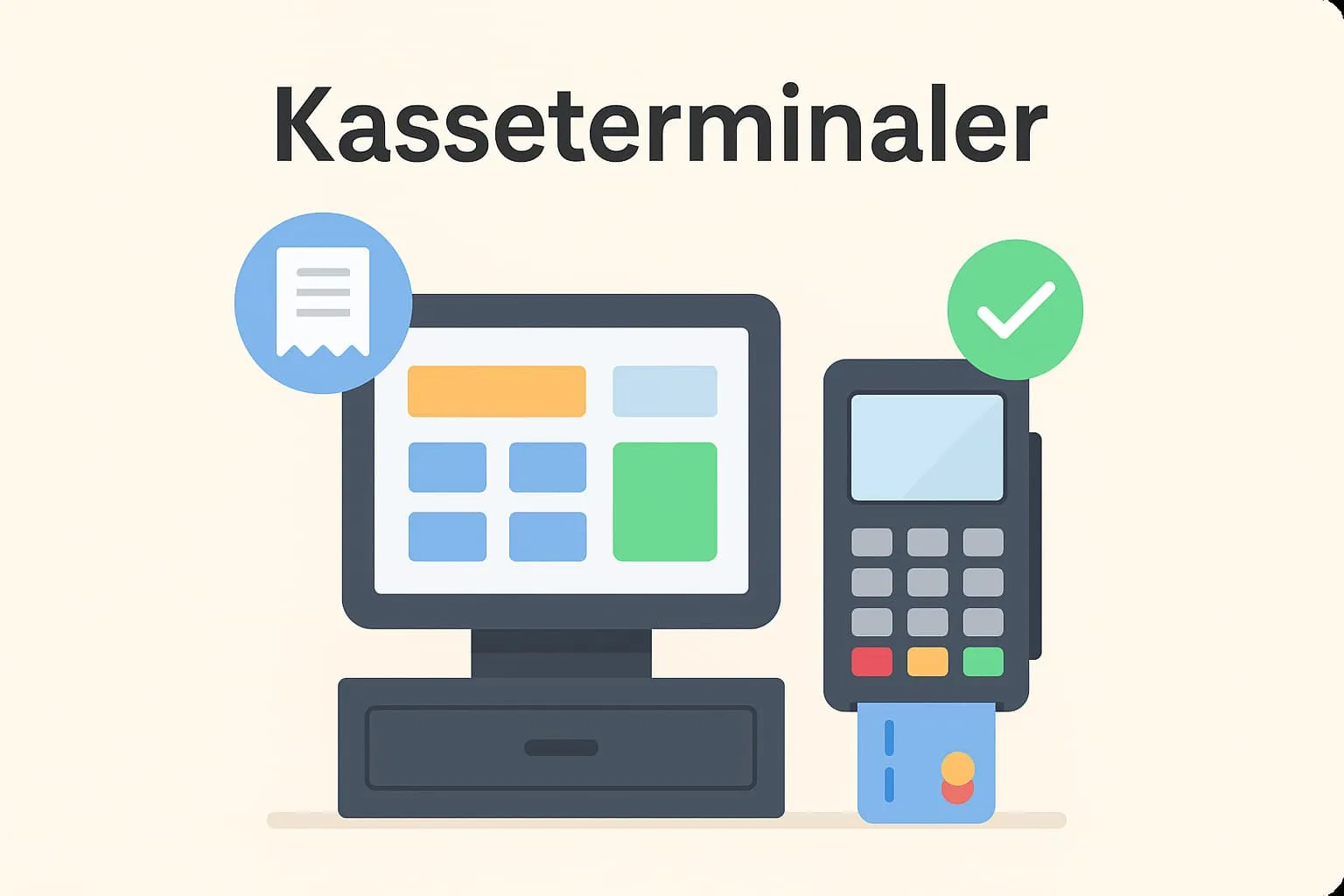
A POS terminal is the physical device used to handle sales in restaurants, cafés and similar businesses. It is the point of service for both staff and customers, where orders are recorded, payments handled and receipts printed. The POS terminal is connected to the business’s POS system (till system), which gathers and automatically updates sales data and stock levels across devices.
A POS terminal can be a dedicated device that looks like a traditional cash register with a touchscreen, but it can also be a tablet or computer running the POS software. The terminal is used for all day-to-day management, from sales to shift logs, and it can be connected to both a payment terminal (card terminal), which makes payment by card or cash fast and efficient.
Example from a café or restaurant
Imagine a busy café where coffee and sandwiches are ordered at the counter. An employee takes the order on the POS terminal, records the items and completes the sale with a cash payment. The terminal automatically prints a receipt, and the order is sent on to the kitchen. The transaction is recorded in the business’s POS system, making it possible to follow the day’s sales figures and stock usage in real time.
Why is it important to understand POS terminals?
The POS terminal is the hub of every hospitality business’s sales flow. By understanding how the POS terminal works and how it integrates with the rest of the POS system, it becomes easier to optimise both customer service and work processes. Using POS terminals effectively saves time at the counter, minimises errors and ensures a good experience – for both staff and customers.
How does Flexybox use POS terminals?
Flexybox supports POS terminals for fast and secure processing of cash payments. The system makes it easy for staff to complete a sale, regardless of who pays and how. The terminals are integrated with the rest of the Flexybox POS system, which ensures joined-up operations with accurate sales data and a smooth workflow.
Particularly relevant terms:
Also read about payment terminal
Frequently asked questions
A POS terminal manages the whole sales process, while a payment terminal only handles the payment itself, for example by card or mobile.
Yes, Flexybox supports several POS terminals across locations or departments, so you can serve guests more efficiently.
Many POS terminals today are tablets or touchscreens with POS software installed. What matters is that they integrate with your POS solution.
It depends on your business’s needs. Consider placement, the number of workstations and integration with payment terminals and the kitchen.