'%3e%3cpath%20d='M0%200H1.85156L4.83594%200.820312L7.39062%200H8.69531L10.0312%200.648438L11.3047%200H12.6094L15.3594%200.890625L18.1562%200H18.7734L19.25%200.285156L20%200V1.84766L19.2227%204.89453L20%207.39062V8.69531L19.3594%209.89062L20%2011.3047V12.6094L19.4102%2015.293L20%2018.1562V18.7773L19.6953%2019.2031L20%2020H18.1523L15.3789%2019.3164L12.6094%2020H11.3047L10.1328%2019.2305L8.69531%2020H7.39453L4.90625%2019.2109L1.84766%2020H1.22656L0.8125%2019.6875L0%2020V18.1523L0.890625%2015.0664L0%2012.6133V11.3086L0.988281%2010.0586L0%208.69531V7.39062L0.867188%204.86719L0%201.84375V1.22656L0.3125%200.921875L0%200Z'%20fill='%23EEEEEE'/%3e%3cpath%20d='M1.85156%200L7.39062%205.54688V0H1.85156ZM12.6094%200V5.54688L18.1562%200H12.6094ZM0%201.84375V7.39062H5.54688L0%201.84375ZM20%201.84766L14.457%207.39062H20V1.84766ZM0%2012.6094V18.1523L5.54297%2012.6094H0ZM14.4531%2012.6094L20%2018.1562V12.6094H14.4531ZM7.39453%2014.4531L1.84766%2020H7.39453V14.4531ZM12.6094%2014.457V20H18.1523L12.6094%2014.457Z'%20fill='%230052B4'/%3e%3cpath%20d='M8.69531%200V8.69531H0V11.3047H8.69531V20H11.3047V11.3047H20V8.69531H11.3047V0H8.69531Z'%20fill='%23D80027'/%3e%3cpath%20d='M0%200V1.22656L6.16016%207.39062H7.39062L0%200ZM18.7734%200L12.6094%206.16016V7.39062L20%200H18.7734ZM7.39062%2012.6094L0%2020H1.22656L7.39062%2013.8398V12.6094ZM12.6094%2012.6094L19.9961%2020H20V18.7773L13.8398%2012.6094H12.6094Z'%20fill='%23D80027'/%3e%3c/g%3e%3c/svg%3e)
'%3e%3cpath%20d='M0%200H5.21875L6.49609%200.792969L7.82422%200H20V8.69531L19.1953%2010L20%2011.3047V20H7.82422L6.58594%2019.2031L5.21875%2020H0V11.3047L1.14844%2010.0156L0%208.69922V0Z'%20fill='%23D80027'/%3e%3cpath%20d='M5.21875%200V8.69531H0V11.3047H5.21875V20H7.82422V11.3047H20V8.69531H7.82422V0H5.21875Z'%20fill='%23EEEEEE'/%3e%3c/g%3e%3c/svg%3e)
'%3e%3cpath%20d='M0%2013.4766L10.0273%2012.4805L20%2013.4766V20H0V13.4766Z'%20fill='%23FFDA44'/%3e%3cpath%20d='M0%206.52344L9.96094%205.625L20%206.52344V13.4766H0V6.52344Z'%20fill='%23D80027'/%3e%3cpath%20d='M0%200H20V6.52344H0V0Z'%20fill='%23333333'/%3e%3c/g%3e%3c/svg%3e)
'%3e%3cpath%20d='M0%206.51611L9.91406%205.76221L20%206.51611V13.4692L10.043%2014.731L0%2013.4692V6.51611Z'%20fill='%23EEEEEE'/%3e%3cpath%20d='M0%200H20V6.52344H0V0Z'%20fill='%23A2001D'/%3e%3cpath%20d='M0%2013.4766H20V20H0V13.4766Z'%20fill='%230052B4'/%3e%3c/g%3e%3c/svg%3e)
'%3e%3cpath%20d='M0%200H20V20H0Z'%20fill='%230052B4'/%3e%3cpath%20d='M5.21875%200V8.69531H0V11.3047H5.21875V20H7.82422V11.3047H20V8.69531H7.82422V0H5.21875Z'%20fill='%23FFDA44'/%3e%3c/g%3e%3c/svg%3e)
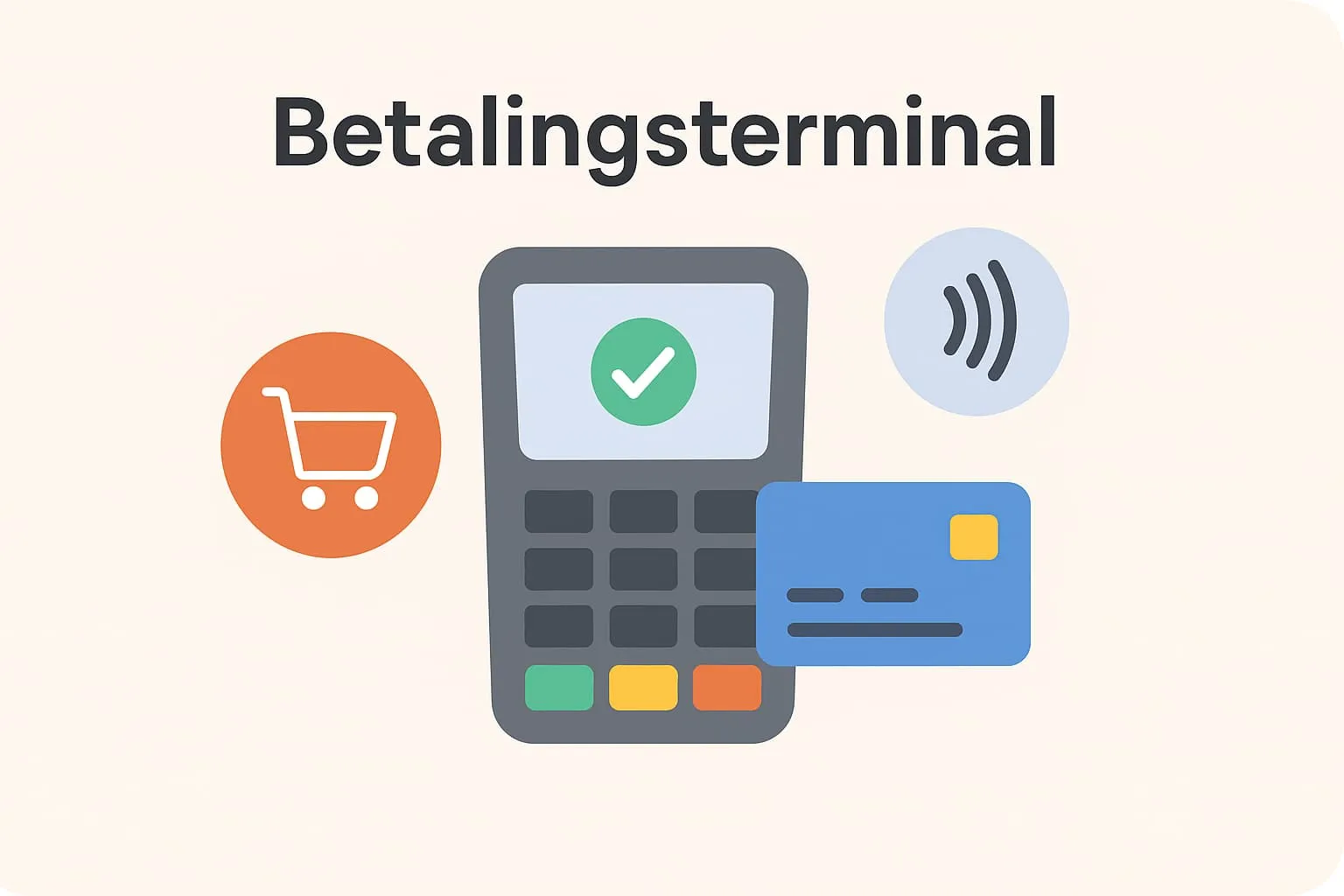
A payment terminal is the device guests use to pay by card or phone. The terminal – also called a card terminal – connects directly to your till system (POS) and makes the payment process fast, secure and automatic. In other words, it is an indispensable part of a modern POS setup in any restaurant, café or bar that handles digital payments.
What is a payment terminal?
A payment terminal is the machine where the customer completes their payment using a payment card or a mobile device (for example Apple Pay or Google Pay). The terminal works closely with your till system, making sure the transaction is recorded correctly, the exact amount is transferred and a receipt is printed if needed.
In practice, the payment terminal is the last step in the customer's journey: once staff have entered the orders and closed the bill in the POS system, the amount is sent directly to the terminal. The guest can then simply insert their card or hold their smartphone over the terminal to pay contactless. The whole process happens automatically within seconds, saving both guest and employee from manual entry and potential mistakes.
Synonyms and variations: Payment terminals are also called card terminals, card readers or simply card payment terminals. You will also often hear terms such as POS terminal or payment terminal, and in a restaurant context they all mean the same thing – the physical device for accepting electronic payments at the point of sale.
Payment terminals in practice in restaurants, cafés and bars
Let's look at how payment terminals are used day to day in the industry through a few practical scenarios:
A busy lunch at the café
Imagine a popular café on a weekday at lunchtime. Staff take orders on a till terminal behind the counter, where the orders are recorded in the POS system. The queue is long, so efficiency is crucial. When a guest is ready to pay, the employee presses Pay on the till terminal.
The amount is transferred immediately to the café's payment terminal next to it. The guest pays contactless with their card or phone, the transaction is completed in under two seconds, and the receipt is printed automatically.
With an integrated payment terminal, the employee does not need to enter amounts manually or double-check anything – everything matches across till and terminal. This means that even in the middle of the lunch rush, every payment can be handled quickly and correctly, keeping the queue short and getting guests their coffee without unnecessary waiting.
Weekend rush at the bar
Imagine a bar on a Friday night. The bar is crowded, and the bartender has many orders on the go. Each time a guest orders drinks, the bartender registers them in a flash on the till system. Thanks to the integration, the amount pops up on the wireless payment terminal the bartender keeps on the counter. The guest can immediately tap their credit card or smartphone on the terminal, and the payment goes through straight away. Over a couple of hours, the bartender handles dozens of transactions without a single keying error, because the system automatically sends the correct amounts to the terminal.
The result is that the bar can serve more customers faster – no time is lost correcting errors or waiting for the card terminal to connect. At the same time you avoid long queues and impatient guests, because every sale flows smoothly through the system.
Split bills in a restaurant
At a busy restaurant on a Saturday night, a party asks to split the bill four ways. The waiter uses the POS system's split function on the handheld terminal at the table, so each couple gets their own part of the bill. Because the handheld is connected to the payment terminal, the waiter can take four separate card payments one after another without walking back and forth to the till. Each guest inserts their card in the mobile payment terminal, enters their PIN or adds a tip, and the payment is recorded immediately against their part of the bill. Thanks to the integrated system, all partial payments are posted accurately, and neither guests nor waiter have to deal with mental arithmetic or cash at the table. This makes for a smooth end to the meal, where the whole table can pay individually yet quickly and without errors.
Why are payment terminals important for POS systems?
For restaurants, cafés and bars, the combination of POS system and payment terminal is essential for efficient operations. Here are some reasons why the integration between till and terminal matters so much:
- Speed and customer experience: An integrated payment terminal ensures fast service. Guests can pay immediately without waiting for staff to key in the amount. This means shorter queues and a better experience, especially at peak times when every second counts.
- Fewer errors and “discrepancies”: Without integration, staff must manually enter the sales amount on the terminal, increasing the risk of keying errors. A simple mistake with a single zero can mean either lost revenue or an annoyed customer. Till discrepancies can also arise – differences between what the till records and the amount actually processed on the terminal. With an integrated POS system, the amount is transferred automatically and precisely, so till and terminal always match, and you avoid time-consuming searches for missing amounts at end of day.
- Overview and correct data: When all card payments are recorded directly in the POS system, you get a full real-time overview of sales. Every transaction – whether cash, card or mobile payment – sits neatly in the system with time, amount and payment method. This means the day's revenue always adds up, and key figures such as [revenue per hour] and discounts are calculated on a correct basis. Automatic recording also makes the daily end-of-day count and bookkeeping easier, as the figures can be transferred directly to the accounts without manual entry or errors.
- Security and trust: The payment terminal ensures that payments are made securely, in a way both customer and business can trust. Modern terminals encrypt card data and comply with PCI standards, protecting customers' information. The integration also prevents cheating and fraud – for example an employee “forgetting” to ring up a cash payment. Every single transaction has to go through the system to be processed on the terminal, so there is a digital trail for all sales.
This also matters for compliance and tax rules: many countries require digital recording of sales – in Denmark, for example, certain industries such as restaurants and cafés must use a digital sales registration system since 2024. Check the rules in your country. A fully integrated solution helps meet these requirements by documenting all sales automatically. - Connection to the rest of the operation: Data from payment terminals can be linked to other parts of your business. For example, you can compare wage costs with revenue hour by hour (wage percentage) to see whether staffing matches sales. Without correct sales data from the terminal, such analyses would fall short. In short: the payment terminal is not just “some IT gadget for taking cards” – it is a central cog in the machine that keeps your operation running smoothly.
How does Flexybox support payment terminals?
The Flexybox POS system is designed to work seamlessly with payment terminals, so you as a restaurateur get the most out of the integration. Here are some of the ways Flexybox supports payment terminals in your business:
- Fully integrated payment: Flexybox connects the till system directly to the most widely used payment terminals. When an order is completed in Flexybox POS, the amount is sent automatically to the terminal with no need for manual entry. Whether you use a fixed terminal at the till or a wireless device, the transfer is instant. This makes payments faster and eliminates errors, as the amount is always right. Staff can also see on the till screen whether the payment went through the moment the guest has paid, so there is no doubt and no double payments.
- Supports several payment methods: With Flexybox you can let your guests pay the way they prefer. The system integrates with both physical card terminals and mobile payment solutions. The amount is sent directly to the card terminal, and the payment is of course recorded in the same way in the POS system. For your guests this means an easy, flexible payment experience – for you it means you capture every sale, whether the customer pulls out a credit card or a smartphone.
- Tips and partial payments: Flexybox supports handling tips and split payments via the terminal. If a guest wants to leave a tip, the terminal can be set up to ask for an amount or percentage, which is then added to the bill and recorded in the POS as a tip for the employee. This ensures correct distribution of tips and transparency for both owner and staff. For split bills, as in the example above, Flexybox makes it easy to send specific amounts to the terminal one at a time. The system “knows” exactly which partial payment belongs to which part of the bill, so everything is posted correctly, even when several people each pay their share.
- Overview and reporting: In Flexybox you can follow sales, including what has been paid via the card terminal. All transactions from the terminal flow into your sales reports immediately. This means the end-of-day report is always up to date and includes all payments. Flexybox also offers automated bookkeeping, where the day's figures – including card payments – can be exported directly to your accounting system.
If, for example, you have an integration with your accounting or payroll system, your till and terminal data can be synchronised, so you avoid typing and minimise the risk of errors. In this way Flexybox makes payments part of your business's success rather than an isolated step. - Flexible hardware and reliability: Flexybox works with different types of terminal, both wireless and fixed. You can, for example, have a fixed terminal at the bar and a couple of mobile terminals for your waiters, all integrated in the system. If the internet connection plays up, several payment terminals can run on mobile data or buffer the transaction until the connection is back, so sales do not grind to a halt. When the connection is restored, the transaction is synchronised with the POS system. This gives you a robust solution where you can accept payment under all conditions and still have all data intact in Flexybox afterwards.
In summary, Flexybox's support for payment terminals lets you run a restaurant or café where payment never becomes a bottleneck. You save time, reduce errors and get an operating solution where till and payment work as one combined system.
Benefits of integrated payment terminals
Faster throughput and better guest service: Payment is lightning fast, which is especially noticeable at busy times. Happy guests who do not have to wait long to pay are happy to come back.
Fewer errors and correct recording: Automatic transfer of amounts means keying errors are eliminated. All sales are recorded correctly the first time, so till and terminal match every day.
Time saved and less admin: Staff avoid duplicate work, and the manager no longer has to chase discrepancies in the end-of-day report. This frees up time to focus on guests and operations rather than bookkeeping.
Better overview and data: Every transaction (card, cash, mobile) is documented in the POS system, ready for reports. This gives a better basis for decisions – you can, for example, easily see card revenue vs. cash revenue, peak times and more.
Increased security and compliance: Integrated systems minimise the risk of fraud and human error. They also make it easier to meet requirements for digital logging of sales where your country has them.
Flexible payment options: You can offer everything from contactless card payment to Apple Pay, Google Pay, gift cards and other payment methods – without hassle. This increases the chance that customers can pay their preferred way, which can mean quicker purchase decisions and higher revenue.
Job satisfaction for staff: When the technology works, job satisfaction goes up. Employees do not have to worry about a till that does not balance or awkward payments – they can concentrate on giving good service instead.
Related terms
- Till terminal – The fixed part of the POS system where staff enter orders and payments (e.g. the touchscreen at the till).
- Handheld terminal – A handheld till device that staff can carry around to take orders and payments at the table.
- Payment methods – The different ways guests can pay, e.g. cash, card, mobile wallets, gift cards etc.
- Acquiring – The process where card payments are settled and the money is transferred from the customer's account to the restaurant's account via an acquirer (card acquiring agreement).
- Mobile till system – A till system that runs on mobile devices (tablet or smartphone) instead of a fixed terminal, so sales and payments can be handled on the move.
- Integration – Connecting the POS system with other systems (e.g. payment solutions, accounting systems or stock management), so data is exchanged automatically and the systems work together seamlessly.
Frequently asked questions
Yes, if you want to let guests pay with debit cards, credit cards or mobile wallets in your restaurant, you need a payment terminal. The terminal is the physical device that reads the card or the phone's payment app. Without a payment terminal you can only accept cash (or possibly bank transfer), which today would exclude many customers, as most expect to be able to pay electronically.
Yes, modern payment terminals come in both wired and wireless versions. Wireless terminals typically run on Wi-Fi or a SIM card and have a battery, so they can be carried around the restaurant. This makes them ideal for cafés and restaurants where staff want to bring the terminal to the guest at the table rather than the other way round. Wireless terminals are just as secure as fixed ones and also communicate directly with the POS system when integrated.
Yes, Flexybox supports fully integrated payment terminals. This means amounts are transferred automatically from the till system to the terminal, and the payment is recorded back in the POS system immediately. You therefore do not need to key in amounts twice. This gives faster, more secure service for both staff and customer, as the risk of errors is minimised.
All transactions that go through the payment terminal automatically become part of your daily report and sales statistics in the POS system. This means that when you close the day, card sales are already counted and reconciled. You get correct figures for the day's revenue split between cash and card, and you can trust that the books add up. In short, you no longer have to add card payments manually – the system makes sure everything is included.
Many payment terminals can work with mobile payment solutions. Most newer terminals accept Apple Pay and Google Pay via the contactless function (NFC). Some can also show a QR code for local payment apps, such as MobilePay in Denmark.
In practice, this means that if your terminal and your POS system support the payment method, the amount is sent automatically, and you avoid having to enter amounts manually. This gives a smooth payment experience for guests who prefer their phone to their card.
Yes, most modern card terminals have a built-in tipping function. Typically, after the main amount has been entered or transferred, the terminal will ask the guest whether they want to add a tip. If the guest chooses to tip, the amount is added to the transaction.
In an integrated system, the tip appears on the receipt and is recorded in the POS system. For the restaurant, this means tips are tracked digitally, so they can be paid out correctly to staff.
A till terminal (also called a POS terminal or till system) is the system itself – often a tablet, touchscreen or computer – that staff use to record orders, print receipts and close bills. A payment terminal, on the other hand, is the dedicated device used to complete the actual payment by card or phone. The till terminal and the payment terminal work together: the till terminal keeps track of what needs to be paid, and the payment terminal takes care of transferring the money. In a modern setup they are integrated, so they “talk to each other” automatically – but they are two different parts of your POS setup.