'%3e%3cpath%20d='M0%200H1.85156L4.83594%200.820312L7.39062%200H8.69531L10.0312%200.648438L11.3047%200H12.6094L15.3594%200.890625L18.1562%200H18.7734L19.25%200.285156L20%200V1.84766L19.2227%204.89453L20%207.39062V8.69531L19.3594%209.89062L20%2011.3047V12.6094L19.4102%2015.293L20%2018.1562V18.7773L19.6953%2019.2031L20%2020H18.1523L15.3789%2019.3164L12.6094%2020H11.3047L10.1328%2019.2305L8.69531%2020H7.39453L4.90625%2019.2109L1.84766%2020H1.22656L0.8125%2019.6875L0%2020V18.1523L0.890625%2015.0664L0%2012.6133V11.3086L0.988281%2010.0586L0%208.69531V7.39062L0.867188%204.86719L0%201.84375V1.22656L0.3125%200.921875L0%200Z'%20fill='%23EEEEEE'/%3e%3cpath%20d='M1.85156%200L7.39062%205.54688V0H1.85156ZM12.6094%200V5.54688L18.1562%200H12.6094ZM0%201.84375V7.39062H5.54688L0%201.84375ZM20%201.84766L14.457%207.39062H20V1.84766ZM0%2012.6094V18.1523L5.54297%2012.6094H0ZM14.4531%2012.6094L20%2018.1562V12.6094H14.4531ZM7.39453%2014.4531L1.84766%2020H7.39453V14.4531ZM12.6094%2014.457V20H18.1523L12.6094%2014.457Z'%20fill='%230052B4'/%3e%3cpath%20d='M8.69531%200V8.69531H0V11.3047H8.69531V20H11.3047V11.3047H20V8.69531H11.3047V0H8.69531Z'%20fill='%23D80027'/%3e%3cpath%20d='M0%200V1.22656L6.16016%207.39062H7.39062L0%200ZM18.7734%200L12.6094%206.16016V7.39062L20%200H18.7734ZM7.39062%2012.6094L0%2020H1.22656L7.39062%2013.8398V12.6094ZM12.6094%2012.6094L19.9961%2020H20V18.7773L13.8398%2012.6094H12.6094Z'%20fill='%23D80027'/%3e%3c/g%3e%3c/svg%3e)
'%3e%3cpath%20d='M0%200H5.21875L6.49609%200.792969L7.82422%200H20V8.69531L19.1953%2010L20%2011.3047V20H7.82422L6.58594%2019.2031L5.21875%2020H0V11.3047L1.14844%2010.0156L0%208.69922V0Z'%20fill='%23D80027'/%3e%3cpath%20d='M5.21875%200V8.69531H0V11.3047H5.21875V20H7.82422V11.3047H20V8.69531H7.82422V0H5.21875Z'%20fill='%23EEEEEE'/%3e%3c/g%3e%3c/svg%3e)
'%3e%3cpath%20d='M0%2013.4766L10.0273%2012.4805L20%2013.4766V20H0V13.4766Z'%20fill='%23FFDA44'/%3e%3cpath%20d='M0%206.52344L9.96094%205.625L20%206.52344V13.4766H0V6.52344Z'%20fill='%23D80027'/%3e%3cpath%20d='M0%200H20V6.52344H0V0Z'%20fill='%23333333'/%3e%3c/g%3e%3c/svg%3e)
'%3e%3cpath%20d='M0%206.51611L9.91406%205.76221L20%206.51611V13.4692L10.043%2014.731L0%2013.4692V6.51611Z'%20fill='%23EEEEEE'/%3e%3cpath%20d='M0%200H20V6.52344H0V0Z'%20fill='%23A2001D'/%3e%3cpath%20d='M0%2013.4766H20V20H0V13.4766Z'%20fill='%230052B4'/%3e%3c/g%3e%3c/svg%3e)
'%3e%3cpath%20d='M0%200H20V20H0Z'%20fill='%230052B4'/%3e%3cpath%20d='M5.21875%200V8.69531H0V11.3047H5.21875V20H7.82422V11.3047H20V8.69531H7.82422V0H5.21875Z'%20fill='%23FFDA44'/%3e%3c/g%3e%3c/svg%3e)
What is a workstation in a POS system?
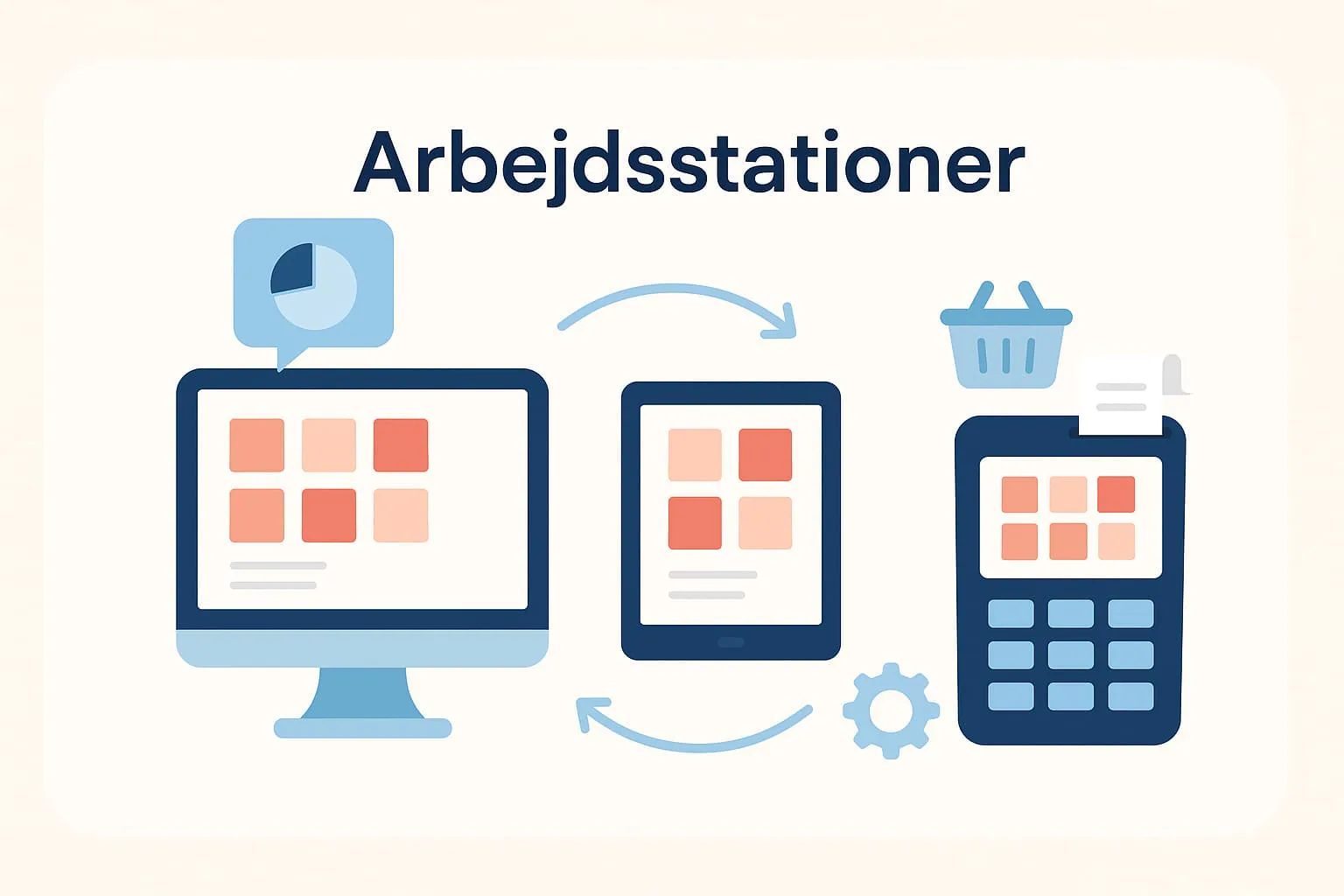
In the context of a POS system (till system), “workstations” are the individual devices or points from which employees in a restaurant, café or similar business access the system. It may be a physical computer at the bar, a tablet in the kitchen or a mobile phone that waiting staff use to take orders directly at the table. Each station acts as an entry point to the system, from which employees can create orders, register payments and retrieve information about customer orders.
In practice, workstations allow several employees to work in the POS system at the same time without waiting for each other. This can be important at busy times, when fast service is key to a good customer experience.
A practical example from a restaurant
Imagine a restaurant with a bar, a kitchen and outdoor seating. At the bar there is a fixed screen where bar staff register drinks. In the kitchen there is another screen that automatically receives food orders. Out in the restaurant, waiters use mobile devices (read more about mobile till systems here) to take orders at the tables. All these devices are workstations in one combined POS system, and they work in sync, so orders are sent and updated in real time.
Why you should know about workstations
Understanding workstations helps you plan your business better and run a smoother operation. You can adjust the number of workstations to your needs and make sure employees can use the system efficiently without bottlenecks. This creates overview, faster service and higher customer satisfaction.
How does the Flexybox system use workstations?
The Flexybox POS system supports multiple workstations, so as a restaurateur or café owner you can use the system simultaneously across devices. This means bar, kitchen and serving staff can all work in parallel – without interruptions or waiting. For you, it means more flexibility and the ability to tailor the system to your workflows.
Read more about our POS system here
Frequently asked questions
A workstation can be a desktop computer, tablet or mobile device that an employee uses to operate the till system. It could be at the bar, in the kitchen or for table orders, for example.
Several workstations allow employees to work in parallel. This minimises waiting times, optimises service and prevents errors in orders.
Yes, with a modern POS system like Flexybox you can use mobile devices such as tablets or smartphones as fully functional workstations.
It depends on your system and subscription. With Flexybox you can easily scale up with more workstations as needed.