'%3e%3cpath%20d='M0%200H1.85156L4.83594%200.820312L7.39062%200H8.69531L10.0312%200.648438L11.3047%200H12.6094L15.3594%200.890625L18.1562%200H18.7734L19.25%200.285156L20%200V1.84766L19.2227%204.89453L20%207.39062V8.69531L19.3594%209.89062L20%2011.3047V12.6094L19.4102%2015.293L20%2018.1562V18.7773L19.6953%2019.2031L20%2020H18.1523L15.3789%2019.3164L12.6094%2020H11.3047L10.1328%2019.2305L8.69531%2020H7.39453L4.90625%2019.2109L1.84766%2020H1.22656L0.8125%2019.6875L0%2020V18.1523L0.890625%2015.0664L0%2012.6133V11.3086L0.988281%2010.0586L0%208.69531V7.39062L0.867188%204.86719L0%201.84375V1.22656L0.3125%200.921875L0%200Z'%20fill='%23EEEEEE'/%3e%3cpath%20d='M1.85156%200L7.39062%205.54688V0H1.85156ZM12.6094%200V5.54688L18.1562%200H12.6094ZM0%201.84375V7.39062H5.54688L0%201.84375ZM20%201.84766L14.457%207.39062H20V1.84766ZM0%2012.6094V18.1523L5.54297%2012.6094H0ZM14.4531%2012.6094L20%2018.1562V12.6094H14.4531ZM7.39453%2014.4531L1.84766%2020H7.39453V14.4531ZM12.6094%2014.457V20H18.1523L12.6094%2014.457Z'%20fill='%230052B4'/%3e%3cpath%20d='M8.69531%200V8.69531H0V11.3047H8.69531V20H11.3047V11.3047H20V8.69531H11.3047V0H8.69531Z'%20fill='%23D80027'/%3e%3cpath%20d='M0%200V1.22656L6.16016%207.39062H7.39062L0%200ZM18.7734%200L12.6094%206.16016V7.39062L20%200H18.7734ZM7.39062%2012.6094L0%2020H1.22656L7.39062%2013.8398V12.6094ZM12.6094%2012.6094L19.9961%2020H20V18.7773L13.8398%2012.6094H12.6094Z'%20fill='%23D80027'/%3e%3c/g%3e%3c/svg%3e)
'%3e%3cpath%20d='M0%200H5.21875L6.49609%200.792969L7.82422%200H20V8.69531L19.1953%2010L20%2011.3047V20H7.82422L6.58594%2019.2031L5.21875%2020H0V11.3047L1.14844%2010.0156L0%208.69922V0Z'%20fill='%23D80027'/%3e%3cpath%20d='M5.21875%200V8.69531H0V11.3047H5.21875V20H7.82422V11.3047H20V8.69531H7.82422V0H5.21875Z'%20fill='%23EEEEEE'/%3e%3c/g%3e%3c/svg%3e)
'%3e%3cpath%20d='M0%2013.4766L10.0273%2012.4805L20%2013.4766V20H0V13.4766Z'%20fill='%23FFDA44'/%3e%3cpath%20d='M0%206.52344L9.96094%205.625L20%206.52344V13.4766H0V6.52344Z'%20fill='%23D80027'/%3e%3cpath%20d='M0%200H20V6.52344H0V0Z'%20fill='%23333333'/%3e%3c/g%3e%3c/svg%3e)
'%3e%3cpath%20d='M0%206.51611L9.91406%205.76221L20%206.51611V13.4692L10.043%2014.731L0%2013.4692V6.51611Z'%20fill='%23EEEEEE'/%3e%3cpath%20d='M0%200H20V6.52344H0V0Z'%20fill='%23A2001D'/%3e%3cpath%20d='M0%2013.4766H20V20H0V13.4766Z'%20fill='%230052B4'/%3e%3c/g%3e%3c/svg%3e)
'%3e%3cpath%20d='M0%200H20V20H0Z'%20fill='%230052B4'/%3e%3cpath%20d='M5.21875%200V8.69531H0V11.3047H5.21875V20H7.82422V11.3047H20V8.69531H7.82422V0H5.21875Z'%20fill='%23FFDA44'/%3e%3c/g%3e%3c/svg%3e)
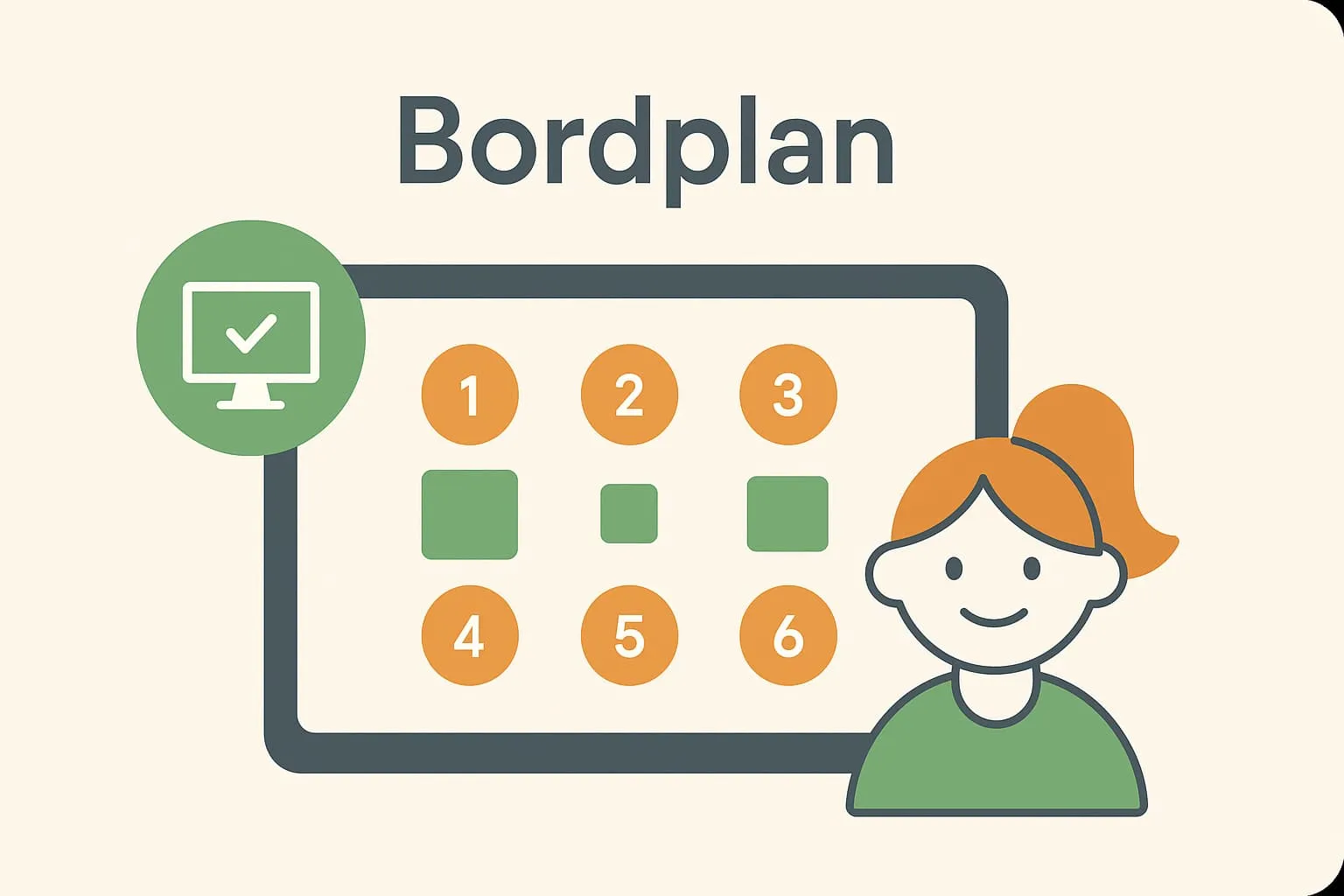
Overview of the restaurant's tables and their layout. A table plan (also called a table overview or floor plan) is a visual overview of a restaurant's or café's tables and where they are in the room. It is used to manage and optimise where guests are seated, so you always have a clear picture of which tables are free, reserved or occupied. Digital table plans are often integrated into modern POS systems (till systems) and booking systems, so updates happen automatically in real time. An up-to-date, clear table plan is essential for efficient operations and high guest satisfaction – especially at busy times.
What is a table plan?
A digital table plan in a POS system gives staff a quick overview of all tables, their status and their location in the restaurant.
At its core, a table plan is a “seating map” of the restaurant: a map showing where each table is, how many seats each table has, and its current status (e.g. free, occupied, reserved or needs cleaning). Traditionally, table plans were kept on paper or whiteboards, but today many restaurants use digital table plans directly on screens or tablets. The digital table plan is updated continuously as reservations come in and guests arrive, allowing staff to make quick seating decisions without misunderstandings. In other words, the table plan is the staff's map of the floor – an overview tool that ensures every seat is used optimally and guests have a good experience from the moment they walk through the door.
Table plans in practice in restaurants, cafés and bars
The table plan is an everyday working tool in restaurants, cafés and bars. Let's look at a couple of concrete scenarios:
- Busy lunch at the café: Imagine a popular café with 20 tables on a weekday lunchtime. A group of four turns up without a reservation. The waiter glances at the digital table plan on her POS screen and can see straight away that table 12 will be free in about five minutes. She welcomes the group and seats them temporarily at a high table by the bar. Meanwhile the system automatically marks table 12 as “guests leaving”. When the table is ready, the status changes to “free”, and the waiter follows the table plan and guides the group to table 12. The guests got a seat with minimal waiting, and the café avoided empty tables in the middle of the lunch rush.
- Weekend rush at the restaurant: In a busy restaurant on a Saturday evening there are many reservations as well as walk-ins. The manager uses the table plan to keep an eye on occupancy. On screen he can see which tables are finishing their dinner soon (perhaps via colour codes or a timer) and which have just become free. A family of two adults and two children turns up unannounced. The manager can see that tables 7A and 7B can be joined into one larger table. With a few clicks in the digital system he merges the two tables on the table plan so the family can sit together. The family gets a table without a long wait, and the restaurant makes the most of its capacity by flexibly rearranging tables as needed.
In both cases the flow in the POS system is integrated with the table plan: When the waiter registers a new order for a table, the table's status changes to “occupied”; when the guest asks for the bill and the payment is registered, the table can automatically be marked as “free (settled)” as soon as they leave. The kitchen keeps up too: via a kitchen display screen, kitchen staff can see which tables have ordered food and which dishes go where, because orders are linked to table numbers. All this happens without staff having to shout information through the kitchen hatch – the digital system coordinates automatically between floor and kitchen.
Why does a table plan matter for POS systems?
A digital table plan plays a central role in a restaurant's POS setup because it connects guest handling with data and operations. Here are some reasons why the table plan is so important:
- Efficient use of space: Without a clear table plan, some tables may stand empty while waiting guests are not seated – simply because there is no overview. With a digital table management system, the host or waiters can always see exactly which tables are free or soon will be. This reduces the risk of double bookings and wasted space. Optimal use of space means more guests served and therefore higher turnover, especially at peak times.
- Connecting reservations and walk-ins: A POS system with a table plan is typically connected to the restaurant's reservation system. This means online reservations appear automatically on the table plan. Without this, it would be easy to miss a booking or give away a reserved table to a walk-in guest. The integration ensures compliance with reservations – you honour the bookings you have promised, while keeping the flexibility to handle walk-ins based on the current overview.
- Data for staffing and reporting: When the table plan is part of the POS system, valuable data is collected. Afterwards you can pull reports on, for example, occupancy rate (the share of time tables are occupied), average table turnover time (how long a party sits on average) and revenue per table or per hour. This information is worth its weight in gold for management – it can be used to optimise rotas and staffing based on facts. For example, if certain time slots are always fully booked (high occupancy), you can schedule extra staff in those hours, while in quiet periods fewer people may be enough. The result is a lower wage percentage (staff costs as a % of turnover), because staffing matches demand better.
- Better guest experience: From the guest's point of view, a good table plan feels like good service. When guests are seated quickly and without confusion, the visit starts on a positive note. An up-to-date table plan also helps distribute guests evenly between sections or waiters, so the workload is more balanced and no part of the restaurant is overlooked. Without system support you risk giving one waiter too many tables while another is almost idle – which can mean poorer service for some guests and dissatisfaction among staff. With the live overview, the manager can continuously adjust the distribution or rearrange the waiters' sections. All in all, a well-functioning table plan contributes to a smooth service flow, happier guests and fewer communication errors within the team.
How does Flexybox support the table plan?
Flexybox's POS solution and booking system are built with a fully integrated digital table plan that supports the needs of restaurants and cafés from start to finish. Here are some of the features and benefits Flexybox offers for the table plan:
- Graphical digital table plan: In Flexybox you can design the table plan yourself to match your actual layout. Using a user-friendly editor you can place tables, define the number of seats and divide the room into different zones (e.g. terrace, lounge, bar area). The table plan is shown graphically on screen, exactly as the restaurant looks, so staff work from a realistic picture. This makes it intuitive for new employees to learn the floor, and everyone can find their way quickly.
- Real-time table status: The system shows the live status of each table with colour codes or icons – e.g. green for free, red for occupied, yellow for reserved/arriving soon and blue when guests have ordered or are waiting for food. When a waiter creates an order for a table in FlexyPOS, the table plan is updated immediately. Likewise, when a table is settled, it is marked as free. This real-time overview makes it easy for the host and manager to manage seating without delays.
- Integration with online booking and other systems: The Flexybox table plan is connected directly to online table booking. When a guest reserves a table via your website or booking portal (powered by Flexybox's system), the reservation automatically appears on the table plan with name, time and number of people. The table plan also integrates with kitchen display screens, so the kitchen knows exactly which orders belong to which tables. Integration with other modules such as payment and takeaway ensures that every part of the business “talks together” – for example, the table status changes to “finished” when the bill is paid, signalling to both kitchen and front of house that the table can soon be reseated.
- Handling complex seating needs: Flexybox supports features such as merging or splitting tables on the table plan. If you need to seat a larger party, staff can combine two or more tables in the system and mark them as one unit for that reservation. Conversely, a long table can be split into two smaller ones if two separate couples arrive. The system keeps track of these changes in the middle of service, so all staff can see the adjusted plan. This is especially useful in flexible cafés or bars where furniture may be moved around during the day.
- An overview for the whole team – on the move too: Because Flexybox's table plan is digital, it can be accessed from different devices. Many restaurants use a tablet at the entrance for the host, while waiters have handheld devices. That way everyone has access to the same up-to-date table overview. Managers can even check occupancy remotely in real time if they have several locations or are not on site. This transparency means fewer errors and higher efficiency, because everyone works from the same up-to-date information.
- Examples of smart functionality: In practice, Flexybox's table plan helps with small details that make a big difference. For example, you can set an expected turnover time per table (how long it usually takes a party to finish eating), which the system uses to suggest reservation times and avoid overlaps. You can also note specific wishes for certain tables (e.g. “window seat” or “high bar table”) in the system, so this information is shared with staff. Everything is designed to give guests the best possible experience and staff the best conditions to deliver it.
Benefits and effects
A well-functioning digital table plan with POS integration delivers a range of concrete business benefits for the restaurant:
Optimal use of capacity and higher turnover: By using all tables efficiently – through a clear overview of free seats and quick turnaround – the restaurant can serve more guests, especially at busy times. This increases turnover without a corresponding increase in costs.
Less admin and fewer errors: Automatic updating of the table plan reduces manual work. Staff no longer need to keep physical charts or remember reservations in their heads. It also minimises the risk of human error such as double bookings or forgotten reservations.
Better rota planning and a lower wage percentage: Data from the table plan (occupancy, peak times, etc.) gives insight for making better rotas. You get the right number of staff on duty relative to the number of guests, ensuring correct staffing. Over- and understaffing are avoided, and wage costs are kept in check because staffing is adjusted to need (lower wage percentage).
Improved guest experience and loyalty: Guests notice the professional management. They are greeted by a host who already knows where there is room, and they can be seated quickly and easily. No guest finds their reservation has “disappeared”, and walk-in guests get realistic waiting times. A good experience from start to finish increases the chance that guests return and recommend the place.
Higher employee satisfaction: When staff have a clear overview and the right tools, stress and frustration are reduced. Waiters and hosts can focus on service instead of firefighting and hunting for free seats. A good system brings calm and structure to the floor, which makes for a better working day and greater wellbeing among staff.
Documentation and insight: With a digital solution, all history is saved – when tables were occupied, how many guests came at different times, and so on. This documentation can be useful for reporting and even regulatory requirements (e.g. if there are limits on how many guests may be on the premises). More broadly, it also provides insight for strategic decisions, such as whether to extend opening hours or change the table layout to meet demand.
Related terms
- Graphical table plan: A visually detailed table plan, often interactive, that reproduces the restaurant's floor plan digitally.
- Kitchen display screen: Digital screens in the kitchen that receive and show orders directly from the POS system, often linked to the table plan.
- Online table booking: A system that lets guests reserve a table via the web or an app, integrating with the table plan so reservations are updated automatically.
- Staff rota: A schedule of employees' shifts. Good table plan data can help create smarter rotas based on expected guest flow.
- Integration: Connecting different systems (e.g. till, booking, kitchen) so they share data. The full value of the table plan is realised through strong POS integration.
Frequently asked questions
A physical table plan is typically a drawing or overview of the tables on paper or a board. A digital table plan, on the other hand, is shown on a screen and integrated with the till system. The advantage of the digital version is that it updates automatically in real time, so everyone can see current reservations and table status, and it can even pass information on directly (e.g. orders to the kitchen). A physical plan needs manual updating and can quickly become outdated during a busy service.
Yes, in Flexybox's system you can tailor the digital table plan exactly to your restaurant's layout. You can easily move tables, add or remove tables, name them (e.g. “Table 1” or “The regulars' table”) and divide the room into sections such as terrace, balcony, bar area and so on. This flexibility means the table plan always reflects reality, even if you rearrange the physical layout.
Yes, the table plan in Flexybox is connected directly to online table booking. This means that when a guest books a table via your website or booking app, the reservation instantly appears on the table plan as reserved. Staff can see which tables are expecting guests, when they arrive, and which time slots are already fully booked. It gives a 100% up-to-date overview without anyone having to block tables manually.
Yes, Flexybox's table plan is available on several devices. Many restaurants choose to have a tablet at the entrance for the host, while waiters have either a handheld terminal or an app on their smartphone. All these devices synchronise with the central table plan, so whether you look at the till's main screen, a tablet or a mobile, you see the same up-to-date information. This lets staff seat guests and update status on the move, right at the table.
If a reservation doesn't show up (no-show) or arrives late, you can mark it on the table plan in Flexybox. A reserved table can, for example, be marked as “no-show” after a set time interval, which releases the table again and makes it available to other guests. If the guest is late but within an acceptable time, staff can keep the reservation active with a note about the delay. These options help you make the best use of capacity without losing control of your reservations.
A digital table plan provides an overview that lets staff seat guests quickly and correctly. Double bookings are avoided, and you can ensure an even distribution of guests so the kitchen and waiters are not suddenly overloaded. Guests experience a professional welcome, where a table is found in seconds or a precise waiting time is given. Overall, the service process becomes smoother, which increases guest satisfaction.